
From Viya App Studio
Your private photos, actually private.
LockBox keeps sensitive photos, videos, and documents in an encrypted vault on your iPhone. No account, no cloud, no server — the key never leaves your device.
- v1.1.3
- iPhone & iPad
- iOS 17+
- 10 languages
- No account
Free to start: 50 media files, 1 GB of storage, 5 albums. Premium lifts every limit and adds the decoy vault, intruder capture, and encrypted backup.
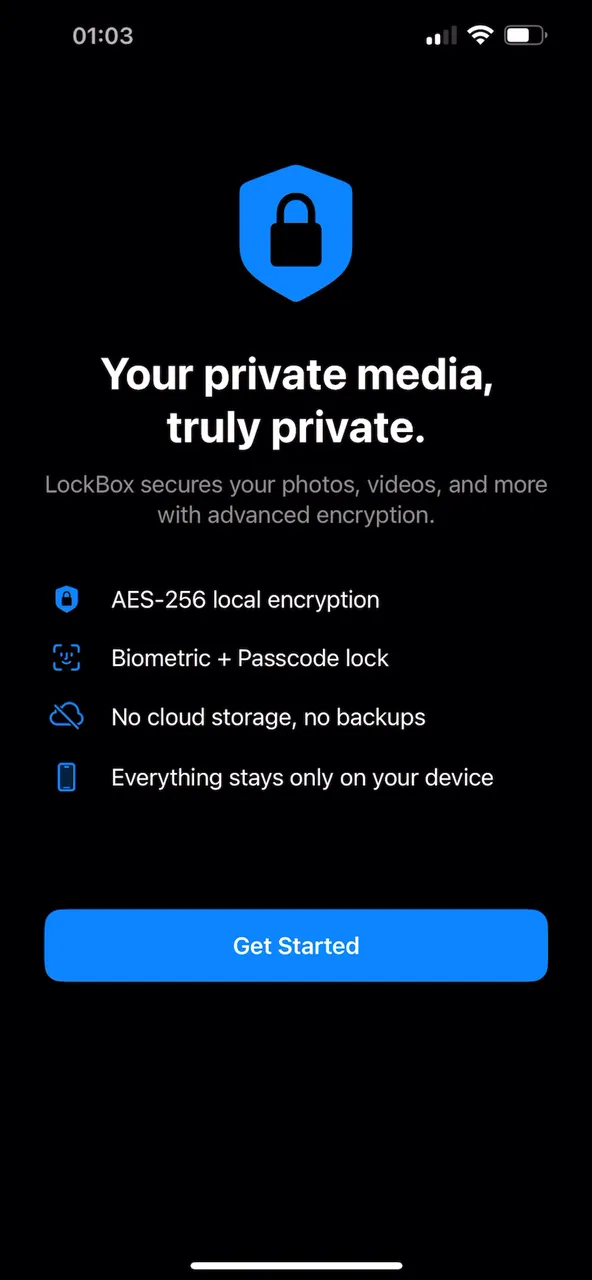
What it looks like
A vault that looks like nothing in particular
LockBox is deliberately unremarkable from the outside. Inside, it is a full media library with encryption underneath every file.
-
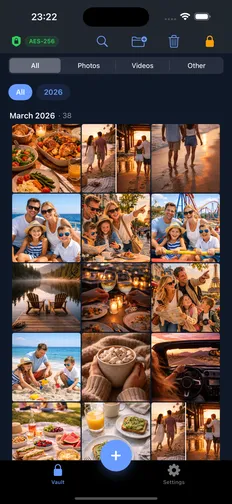
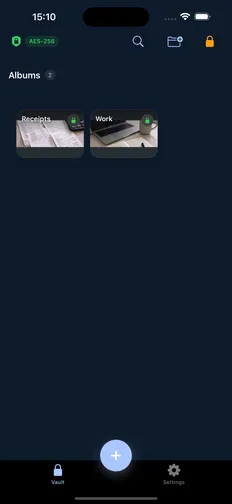
The vault itself — photos, videos, and files, encrypted at rest.
-
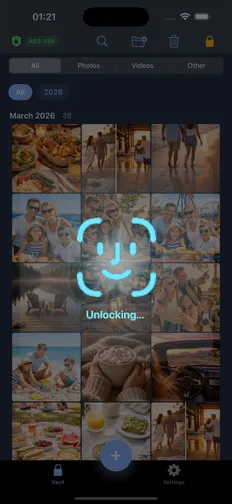
AES-256, unlocked with Face ID. Nothing decrypts until you do.
-
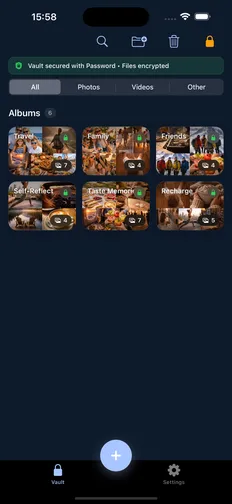
Albums with custom covers, and a separate PIN on any of them.
-
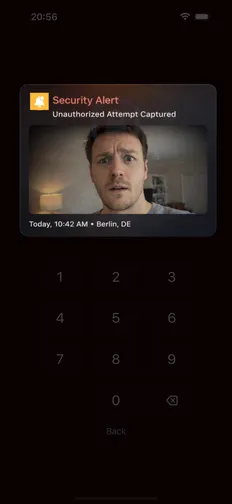
Intruder capture: a silent photo after repeated failed unlocks.
-
The decoy vault — a second passcode opens something harmless.
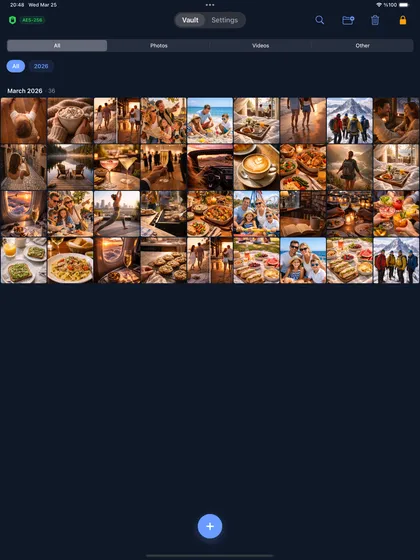
The same vault on iPad. One purchase covers both — iPhone and iPad, iOS 17+.
How it works
Three steps, and nothing leaves the device
-
Import
Bring photos, videos, and documents in from Photos or Files — or shoot them straight into the vault with the built-in private camera, so they never touch your camera roll.
-
Encrypt
Each file is encrypted with AES-256 as it lands, and the originals can be removed from Photos in the same step. The key is generated on your device and stored in the iOS Keychain.
-
Unlock
Face ID, Touch ID, or a passcode opens the vault. Nothing is decrypted until you are in — and individual albums can sit behind a second PIN.
Security
Security, in plain language
The short version: there is no server to breach, no account to compromise, and no copy of your key anywhere but your phone.
-
AES-256, on device
Every file is encrypted with AES-256 before it touches disk. Keys live in the iOS Keychain, and nothing is uploaded to a server — there is no server.
-
Face ID, Touch ID, or a passcode
The vault unlocks with biometrics or a passcode you choose. Individual albums can take a separate PIN, with lockout after repeated wrong attempts.
-
Albums that stay organised
Group photos, videos, and documents into albums with custom covers. Import straight from Photos or Files, or shoot into the vault with the built-in private camera.
-
Decoy vault Premium
A second passcode opens a harmless-looking vault with content you choose. If you are ever asked to unlock the app, you have something to show.
-
Intruder capture Premium
After repeated failed unlock attempts, LockBox silently photographs whoever is holding the phone and logs the time.
-
Encrypted backup & restore Premium
Export the whole vault as a single encrypted .lockbox file you can store or move to a new device. Vault data is deliberately excluded from iCloud backups.
Where the key lives. The encryption key is generated on device and held in the iOS Keychain — not in the vault, and not in any file you can accidentally copy somewhere else.
Why iCloud backup is excluded. Vault data is deliberately kept out of iCloud backups, so your private files are never sitting in a second place you did not choose. That is also why Export Backup matters before you switch phones: without it, deleting the app deletes the vault.
What happens if you forget the passcode. There is no way back in without it, and that is the point — a back door for you is a back door for anyone holding your phone. The full security page covers the cipher, the key storage, and the limits honestly.
Pricing
Free to use. Premium when you outgrow it.
Every security feature that protects a file you have already stored is in the free version. Premium removes the limits and adds the features that protect you from someone holding your phone.
LockBox is free to use, with no account and no time limit. Premium removes the storage limits and unlocks the advanced security features; it is available as a monthly or yearly subscription, or as a one-time lifetime purchase.
| Feature | Free | Premium |
|---|---|---|
| Media files | 50 | Unlimited |
| Storage | 1 GB | Unlimited |
| Albums | 5 | Unlimited |
| AES-256 encryption | Included | Included |
| Face ID / Touch ID unlock | Included | Included |
| Private camera | Included | Included |
| Custom album covers | Included | Included |
| Per-album PIN locks | Included | Included |
| Decoy vault | Not included | Included |
| Intruder capture | Not included | Included |
| Encrypted backup & restore | Not included | Included |
| All themes & app icons | Not included | Included |
Premium starts with a free trial. Current prices are shown in the app before you buy.
FAQ
Common questions
Do my photos or videos ever leave the device?
No. LockBox has no server and no account. Files are encrypted and stored locally; the only way anything leaves is if you export a backup yourself.
What happens if I delete the app?
Deleting LockBox removes all vault data with it. Vault content is excluded from iCloud backups by design, so use Settings → Export Backup before uninstalling or switching phones.
What does the free version include?
Full encryption, biometric unlock, albums, the private camera, and custom covers — capped at 50 files, 1 GB, and 5 albums. Premium lifts the caps and adds the decoy vault, intruder capture, and encrypted backup.
Is Premium a subscription?
It can be. Premium is available monthly or yearly, and there is also a one-time lifetime purchase if you would rather not subscribe. Prices are shown in the app before you commit.
Can I get my files back out?
Yes. Settings → Export Backup produces an encrypted .lockbox file, and individual items can be exported back to Photos or Files at any time.
What if I forget my passcode?
There is no way back in without it, and that is deliberate — a back door for you is a back door for anyone holding your phone. An optional recovery passphrase covers the rare case of the Keychain entry being lost, but it is not a passcode reset. Keep an exported backup somewhere safe.
Get LockBox
LockBox v1.1.3 · iPhone & iPad · iOS 17+ · 10 languages · no account required.